No subscription · Buy once

Your password manager.
Completely subscription-free.

KeyNook keeps passwords, 2FA codes, cards and notes in one strongly encrypted vault – no account, no tracking. Buy once, use forever.

For iPhone · iPad · Mac

Everything important in one secure place

One vault for your logins, cards, notes and more – thoughtfully designed for every Apple device.

Secure vault

Unlimited logins, credit cards, secure notes and Wi‑Fi credentials – neatly sorted by category.

AutoFill & browser

Fill in credentials directly in apps and your browser – via system AutoFill and with extensions for Firefox, Chrome and Safari.

2FA authenticator

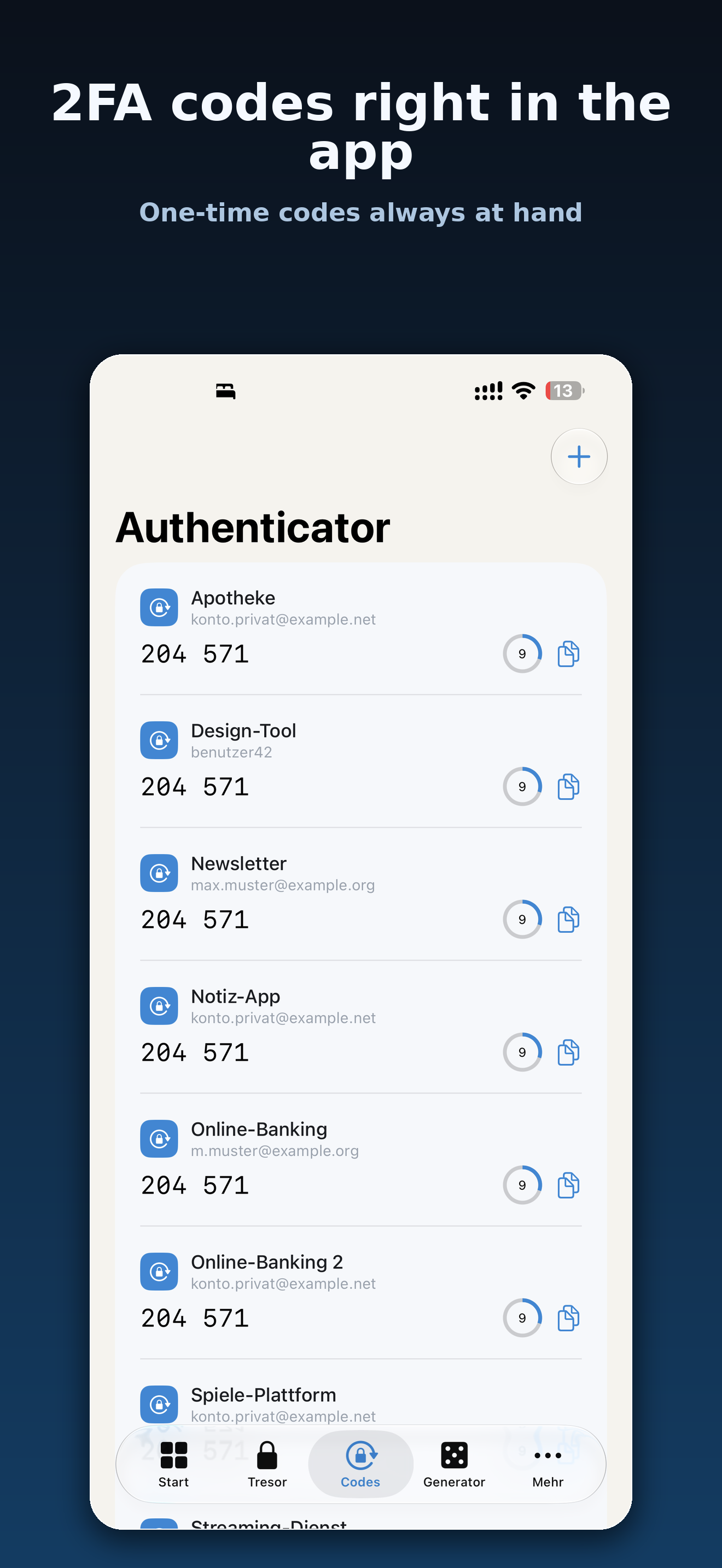
Generate one-time codes (TOTP) right inside KeyNook – your codes are always at hand.

Password generator

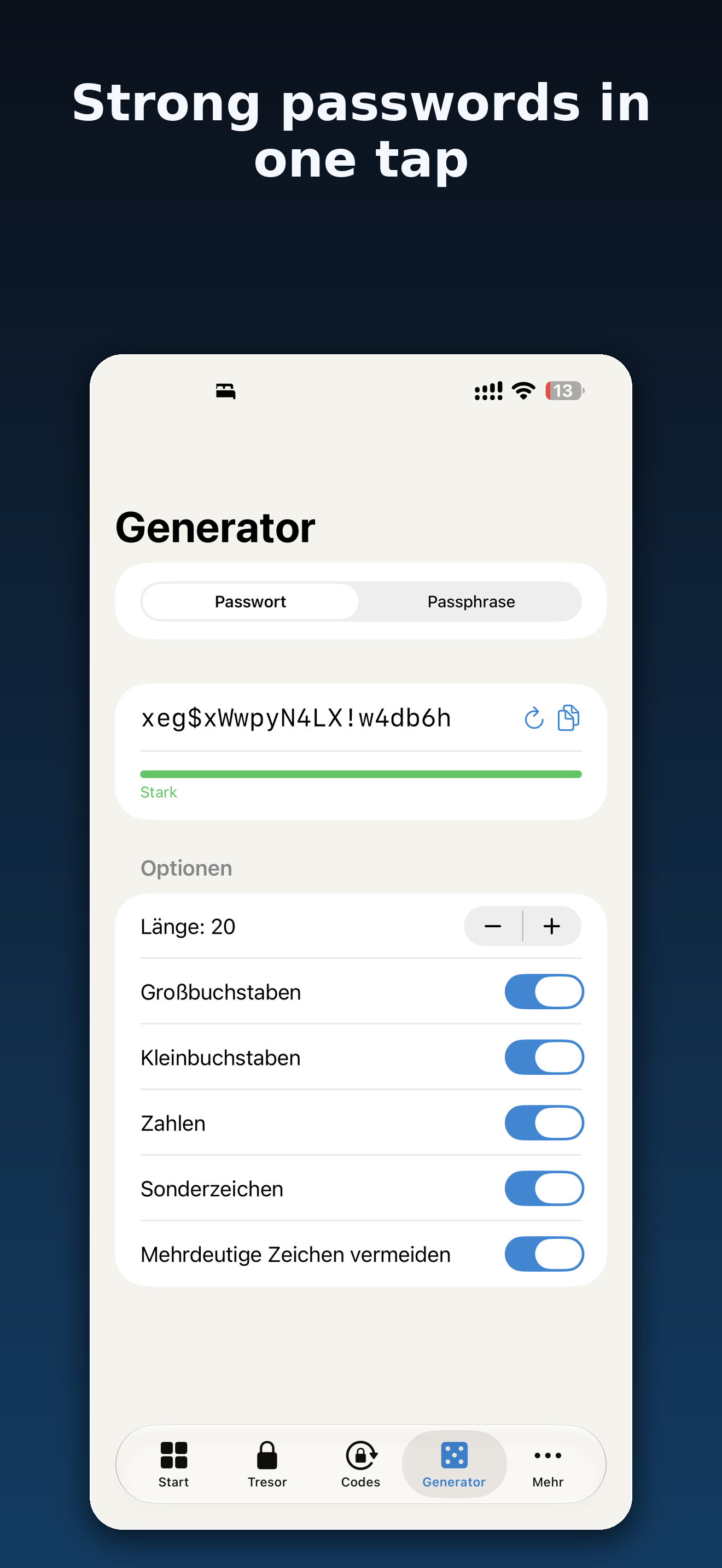
Strong passwords or memorable passphrases at the touch of a button – fully customizable.

Password health

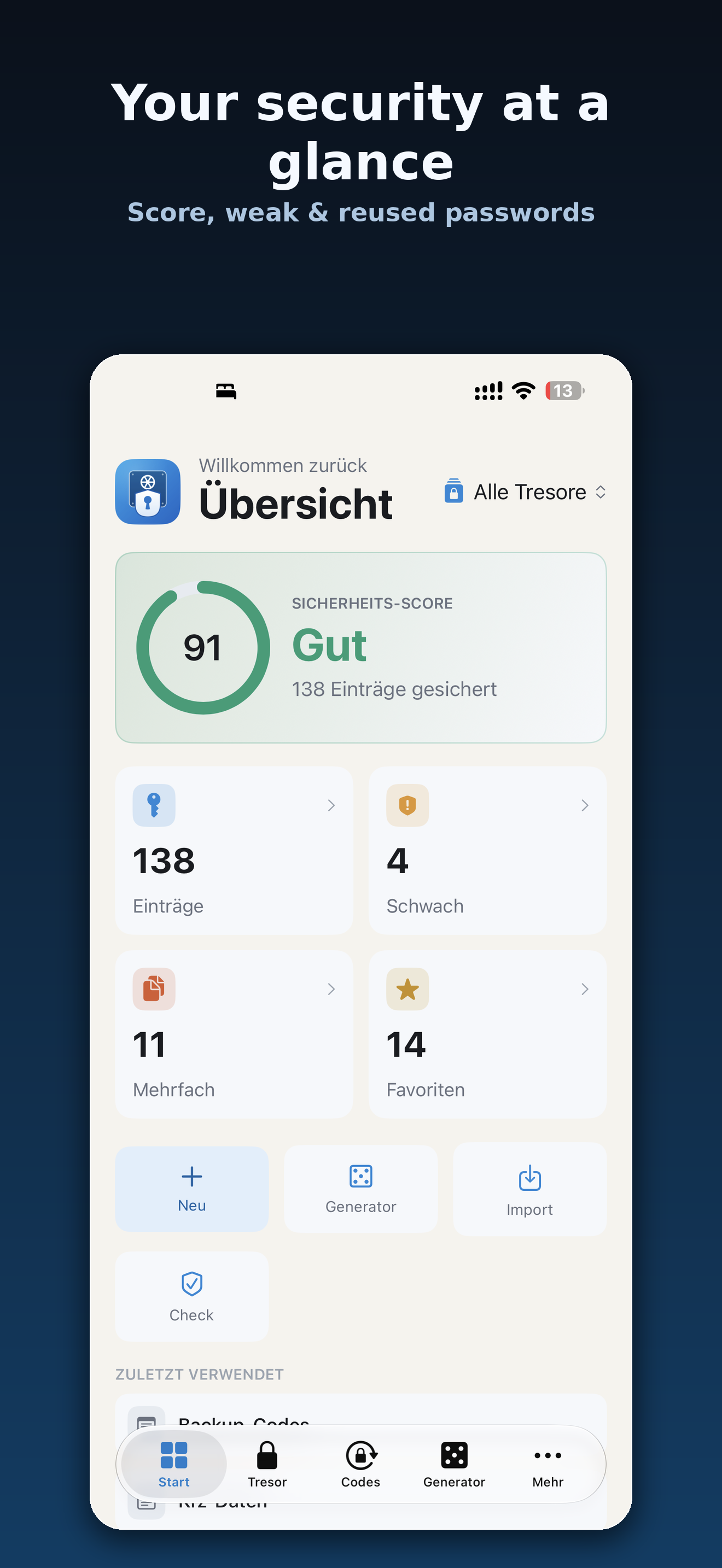
Detects weak, reused and old passwords – and checks k‑anonymously against known data breaches.

Sync & migration

Optional iCloud sync across your devices and easy import from other password managers and CSV.

Security you can trust

With a password manager, only one thing matters: your data belongs to you – and to no one else.

Strong encryption
AES‑256‑GCM with modern key derivation (Argon2id).
Master password stays with you
It never leaves your device and is stored nowhere.
No account required
No registration, no mandatory cloud – start right away.
No ads, no tracking
We don't sell data and we don't show ads.
Face ID / Touch ID
Convenient unlocking with biometrics on your devices.
k‑anonymous breach check
Only a hash prefix is sent – your password stays on the device.

A look inside the app

Clean, fast and at home on every device.
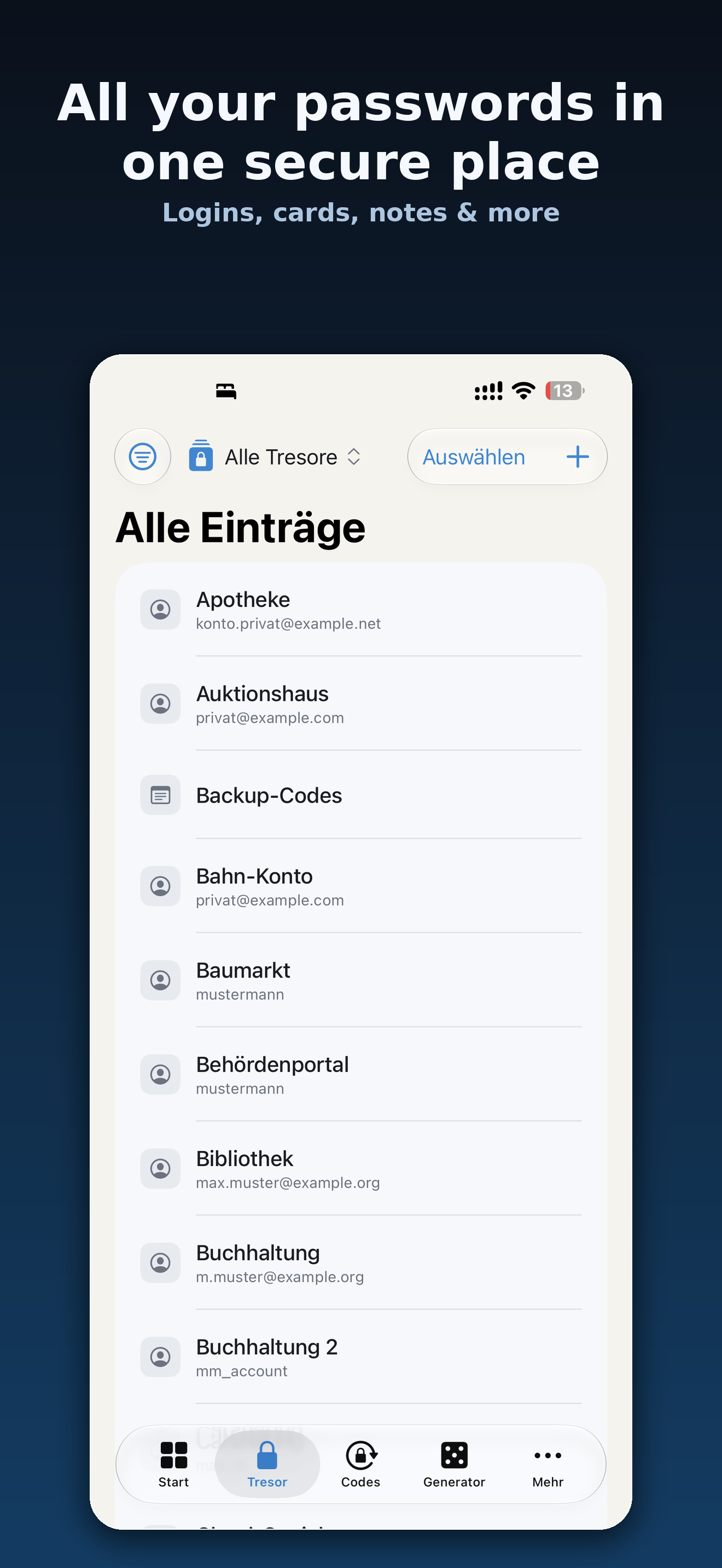
KeyNook vault with all entries KeyNook overview with security score KeyNook 2FA authenticator KeyNook password generator

Buy once. Use forever.

No subscription, no hidden costs. You start with the core features and unlock Pro with a one-time purchase whenever you need it.

Starter

One-time purchase of the app

  • Unlimited passwords
  • Password generator
  • AutoFill in apps & browser
  • Import & export
  • Local password health
  • Face ID / Touch ID, auto-lock

KeyNook Pro

One-time in-app purchase

  • Multiple vaults
  • File attachments
  • 2FA authenticator
  • Breach check (HIBP)
  • Sync across all devices

You'll find current prices on the App Store.

Also in your browser

With the KeyNook extensions you fill in credentials directly on websites – on the Mac additionally via Safari's system AutoFill.

Frequently asked questions

What happens if I forget my master password?
For security reasons, your master password is stored nowhere – not even with us. Without this password, the vault cannot be decrypted or recovered. So choose it carefully and keep it safe.
Can you see my passwords?
No. All data is encrypted locally on your device. We have no access to it and we don't transmit any content to us.
Where is my data stored?
Encrypted on your device. If you enable the optional iCloud sync, the encrypted copy lives in your own iCloud – likewise readable only by you.
Do I need an account?
No. KeyNook works without registration and without an online account. You simply set a master password and can get started right away.
Can I migrate from another password manager?
Yes. KeyNook imports exports from common password managers as well as CSV files. You can also create an export from KeyNook again at any time.
Is there a subscription?
No. You buy the app once. You unlock additional Pro features when needed with a one-time in-app purchase – no recurring costs.

Take control of your passwords

Secure. Private. No subscription.